Resetting Your Password
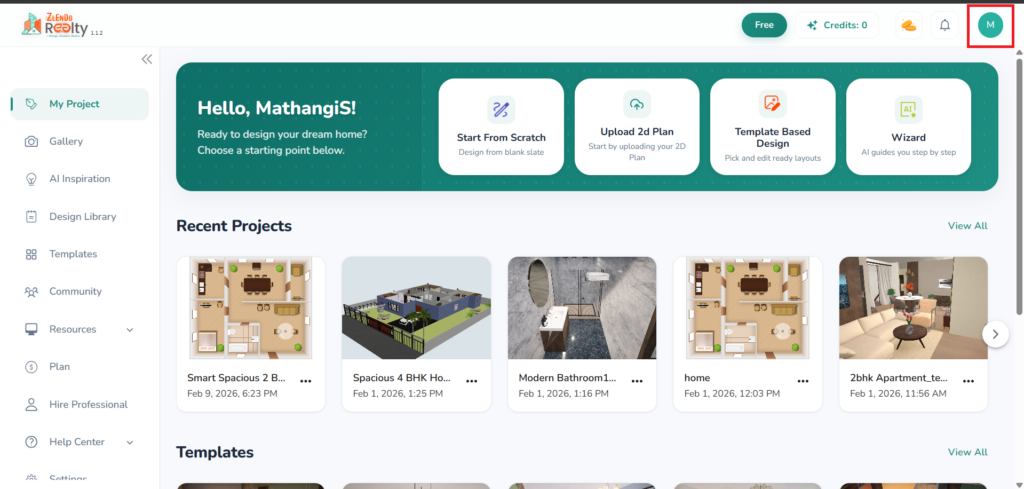
Once you have logged in successfully, you will be on the Zlendo Realty Dashboard page. On the top-right corner of the screen, you will see your Profile icon with your Name initial.
Click on the Profile Icon from the drop-down menu.
Your Zlendo Realty Profile
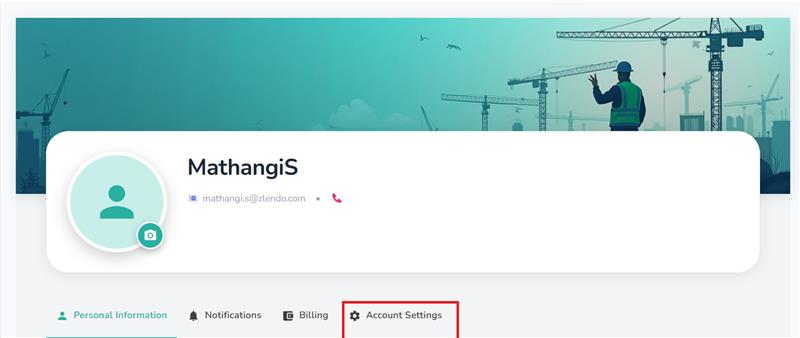
Your Profile has four sections:
Personal information
Notifications: Here you can view Notifications.
Billing: Here you can upgrade your plan to a paid version and view billing history.
Account settings: Here you can change/update your password or permanently delete your Zlendo Realty account.
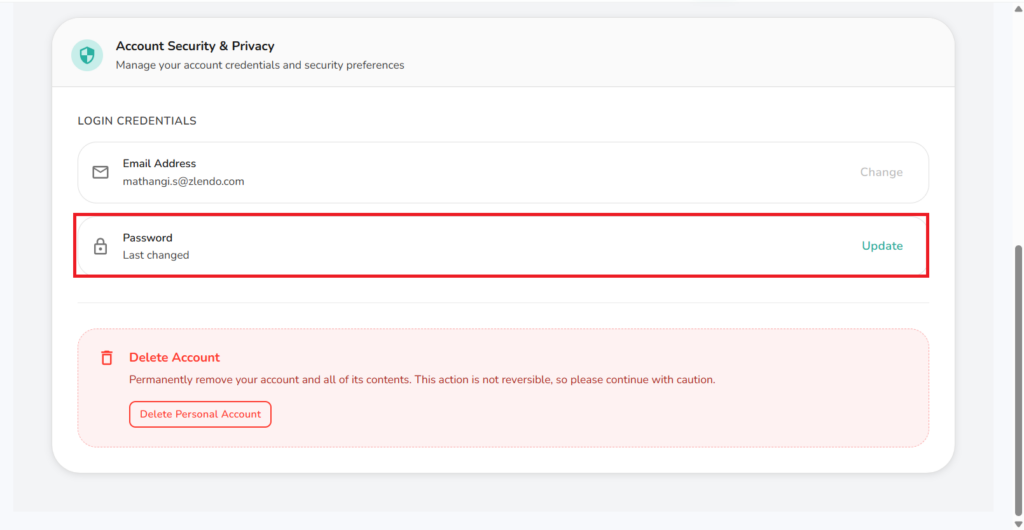
On the Account Settings screen, click on Update on the right of the Password section.
Profile –> Account Settings –-> Password –> Update.
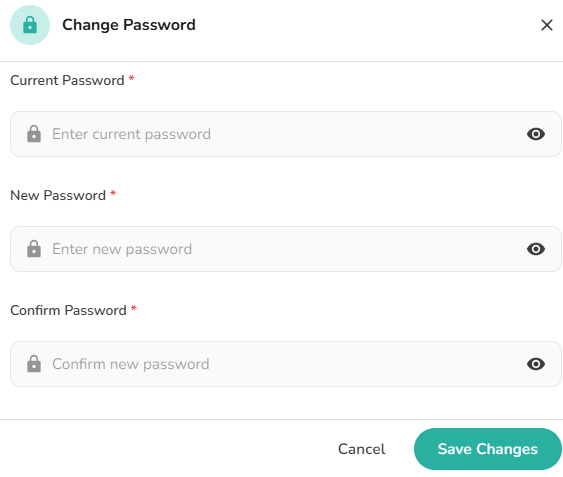
To Change your Password: On the pop-up Change Password box, fill out all fields and Save Changes.
Your new password must have at least:
– one uppercase letter
– one lowercase letter
– one number
– one special character
Need more help?
Can't find the answer you're looking for? Our team is here to help you.
Contact SupportRelated Articles
Export Plan & Floorplan Generator Tool
Export Plans Floorplan Generator Toolbar Current Floor Button: Quickly switch between different floors/levels of your project to view or export specific floors. Reset View & Zoom Icons: Use these to instantly reset your design or adjust the magnification for a detailed look. Style Selector: Customize the visual aesthetic of your plan by choosing from several…
Zlendo Realty Community: Creating Project Templates & Sharing Designs
The Zlendo Realty Community is a vibrant digital hub designed for architects, interior designers, and home enthusiasts to connect and grow. It serves as a collaborative space where creativity meets professional insight, allowing users to move beyond individual drafting and into a shared ecosystem of design. Sharing Design Templates Community –> Share Post –> Recent…
Payment & Billing
There are several ways to view the Plan cards and to Upgrade your current plan to a paid version. Steps to Upgrade 1. From the Zlendo Realty Dashboard On the Dashboard left-hand sidebar, click on the Plan tab. Alternatively, you can also click on: – the Upgrade Now button located in the promotional banner at…