Navigation Tools & Keyboard Shortcuts Cheat Sheet
This guide combines all your essential keyboard and mouse controls for a seamless experience.
General Workflow Shortcuts
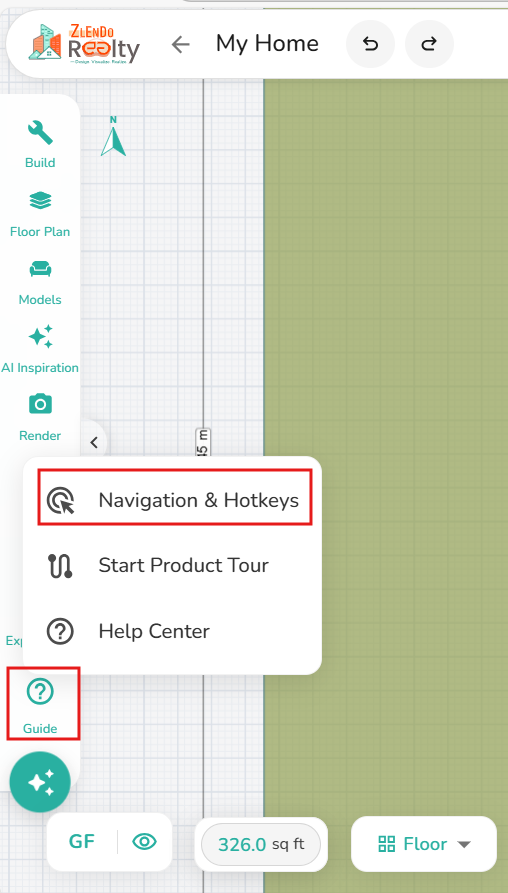
Workspace sidebar –> Guide –> Navigation & Hot Keys
| Action | Windows (Win) | Mac |
| Undo | Ctrl + Z | Cmd + Z |
| Redo | Ctrl + Y | Cmd + Shift + Z |
| Save | Ctrl + S | Cmd + S |
| Delete | Del | Backspace |
2D Workspace Navigation
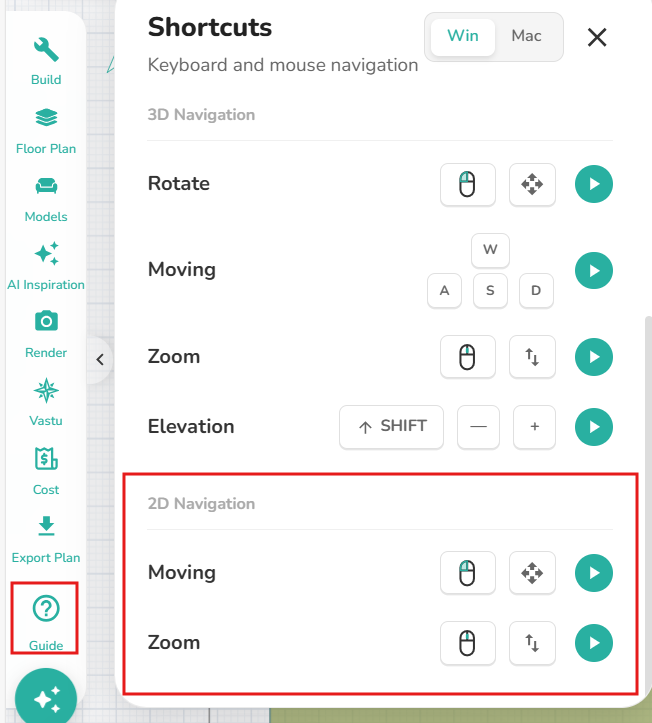
Workspace sidebar –>Guide –> Navigation &Hot keys
Pan/Move: Left-click and drag.
Zoom: Scroll the mouse wheel up/down.
📌 Note: For any of these navigation steps, you can click the green play button in the workspace menu to see a live video demonstration of the movement
3D Navigation (Spatial View)
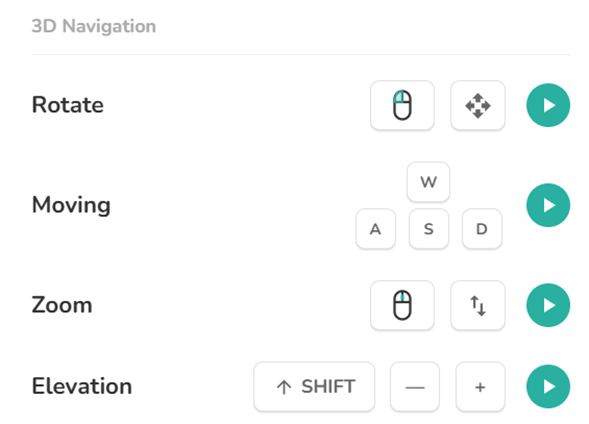
Workspace sidebar –> Navigation Guide –> Shortcuts: 3D
Rotate/Orbit: Left-click and drag.
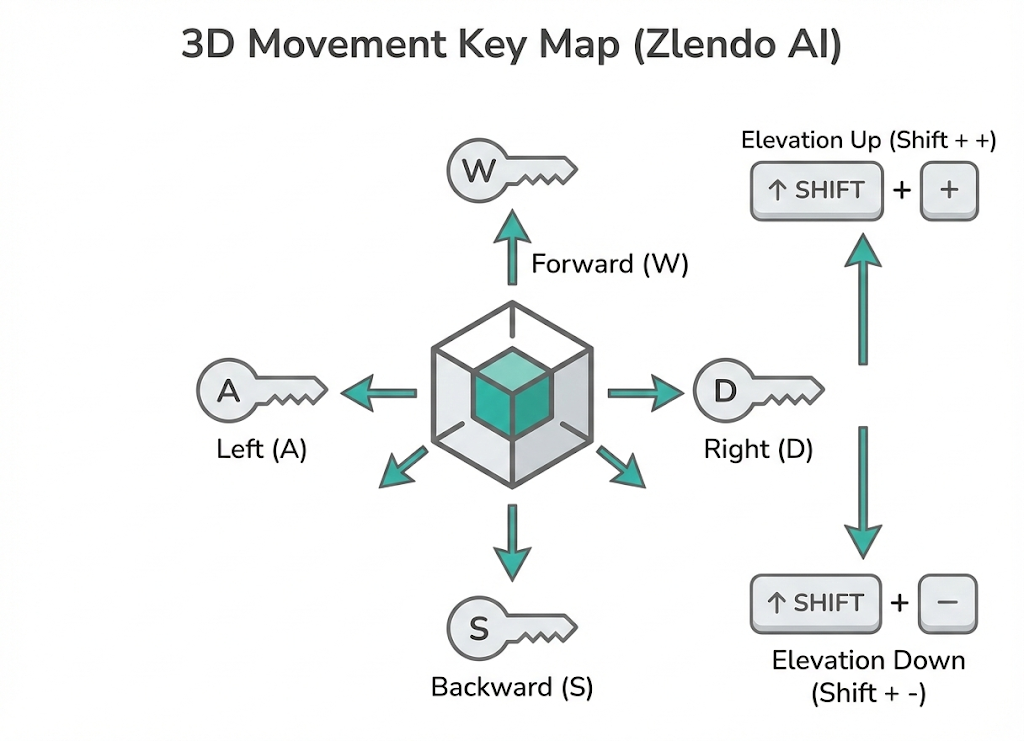
Move (Lateral): Use W, A, S, D keys.
Zoom (Depth): Scroll the mouse wheel up/down.
Elevation (Vertical): Shift + + (Up) or - (Down).
📌 Note: For any of these navigation steps, you can click the green play button in the workspace menu to see a live video demonstration of the movement
3D Keyboard Movement Keys
Need more help?
Can't find the answer you're looking for? Our team is here to help you.
Contact SupportRelated Articles
Export Plan & Floorplan Generator Tool
Export Plans Floorplan Generator Toolbar Current Floor Button: Quickly switch between different floors/levels of your project to view or export specific floors. Reset View & Zoom Icons: Use these to instantly reset your design or adjust the magnification for a detailed look. Style Selector: Customize the visual aesthetic of your plan by choosing from several…
Zlendo Realty Community: Creating Project Templates & Sharing Designs
The Zlendo Realty Community is a vibrant digital hub designed for architects, interior designers, and home enthusiasts to connect and grow. It serves as a collaborative space where creativity meets professional insight, allowing users to move beyond individual drafting and into a shared ecosystem of design. Sharing Design Templates Community –> Share Post –> Recent…
Payment & Billing
There are several ways to view the Plan cards and to Upgrade your current plan to a paid version. Steps to Upgrade 1. From the Zlendo Realty Dashboard On the Dashboard left-hand sidebar, click on the Plan tab. Alternatively, you can also click on: – the Upgrade Now button located in the promotional banner at…