Explore floor plan ideas. 5 concepts to compare.
Enter your plot and room preferences to compare five predefined layout concepts. Smart Wizard ranks schematic ideas for early planning; create a detailed drawing separately in Zlendo Realty.
From brief to buildable direction
A better place to start than a blank canvas
Smart Wizard uses a simple preference ranking to compare five predefined concepts. Previews are schematic, not dimensioned or construction-ready plans.
01
Understand the site
Plot dimensions, facing, built-up area and four-side setbacks define the usable envelope.
02
Compare real choices
Five concepts reveal different ways to balance daylight, privacy, efficiency and future flexibility.
03
Keep designing
Explore the Zlendo Realty app to create a detailed project separately. Signup does not transfer an editable drawing from this page.
Design Your House
With Few Input Values.
Unlike generic image generators that produce impossible concepts, the Zlendo Realty Smart Wizard is built on actual architectural logic. Every wall is measured, every room is mathematically constrained to your setbacks, and all plumbing nodes align perfectly.
True 3D Data
Your generated plans instantly translate into fully navigable, editable 3D structures.
Studio Editable
Drag walls, swap textures, and manually refine every single detail in the main editor.
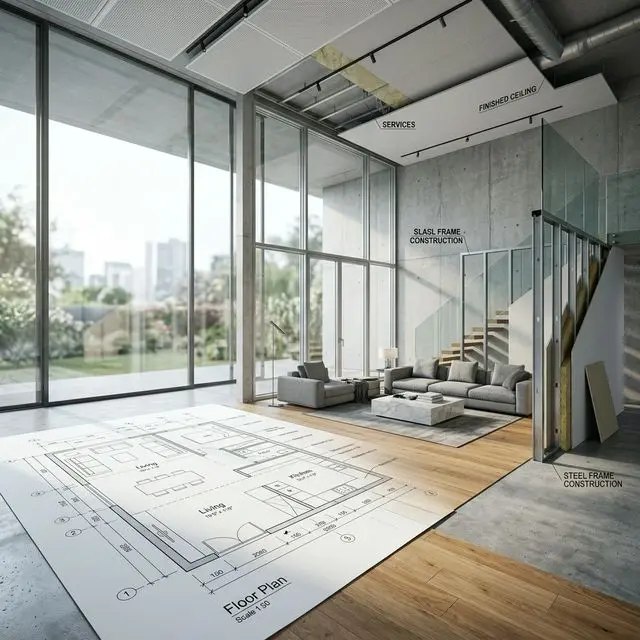
AI floor plan generator
What is an AI floor plan generator?
An AI floor plan generator creates house layout options from a few simple inputs instead of asking you to draw every wall by hand. On this page, Zlendo Realty’s Smart Wizard compares five predefined concepts using selected plot and room preferences. It uses a simple ranking system; it does not generate new measured drawings with an AI model. Previews are schematic, and scores describe preferences rather than architectural feasibility.
It is built for the very first – and most important – stage of home design: deciding which overall layout makes sense for the site. Use the concepts as inspiration when creating a separate detailed project in Zlendo Realty’s AI floor plan design software, convert it with the 2D to 3D floor plan converter, and style the rooms with AI interior design.
How it works
How Smart Wizard compares floor plan concepts
Enter a brief and compare schematic concepts without drawing.
Step 1
Enter your plot
Add plot width and length, built-up area, number of floors, facing and setbacks. The page calculates a usable footprint summary; concept previews are schematic and are not drawn to those dimensions.
Step 2
List your rooms
Choose bedrooms, bathrooms, living rooms and parking, then add extras such as a kids room, guest room, study, pooja room, utility area or garden.
Step 3
Pick a priority
Tell the generator what matters most: balanced living, open and airy spaces, more privacy, rental potential or a Vastu-first layout.
Step 4
Compare five ranked concepts
Review five predefined concepts with a preference score and planning trade-offs. Explore the Zlendo Realty app separately to create a detailed 2D and 3D project.
Five layout concepts
Five floor plan ideas from one brief
Every brief produces the same five planning directions, re-ranked for your plot. Narrow plots, multi-storey homes, single-floor homes and your chosen priority each push different concepts to the top.
Courtyard Heart
Shared spaces around a compact internal court for daylight and cross-ventilation.
Garden Edge
The house shifts to one side to create a long garden frontage – useful on narrower plots.
Private Wings
Family and guest rooms in separate wings joined by a bright living spine.
Compact Core
Stair, storage and wet areas share one core for an efficient, cost-conscious plan.
Flexible Duplex
Floors that work together now and can run independently later, e.g. for rental.
Who it’s for
Built for homeowners and professionals
- Homeowners – compare early layout ideas before you meet an architect.
- Architects – produce several early options for a client meeting in minutes, then develop the chosen one.
- Builders & developers – discuss layout preferences before checking site capacity in a detailed plan.
- Civil engineers – use early concepts to start a discussion before detailed structural and services planning.
Why use a generator
AI floor plan generator vs starting from scratch
| Smart Wizard | Blank canvas | |
|---|---|---|
| Starting point | 5 predefined concepts | Your own drawing |
| Preview | Schematic room blocks | A layout you draw |
| Plot & setbacks | Footprint summary | Define in the drawing |
| Drawing skills | Not required to compare concepts | Depends on the tool |
| Next step | Create a detailed project separately | Develop your drawing |
Start with your plot. End with a home you can explore.
Compare five planning directions, then explore the Zlendo Realty app to create a detailed 2D and 3D project separately.
Try Smart Wizard